Sunday, August 21, 2016

Generating Numbrix-like Puzzles

Very tiny
Numbrix-like
 example.
We got the kids interested in a simple kind of logic puzzle called Numbrix.  I showed my son a multiplication table and he became obsessed for a time with filling out more and more tables with bigger and bigger numbers.  Since he seemed to like writing numbers into boxes, we looked around for a puzzle we could print off the web that he could do, and found some kids' Numbrix at this "Math in English" site.

Numbrix is apparently a puzzle published in Parade magazine, developed by Marilyn vos Savant, who had the Guinness Book of World Records "Highest IQ" in the late eighties and also a serendipitous surname.  The goal is to complete a Hamiltonian path on a grid with consecutive numbers.  If you've heard of Hidato, it's like that but you can't move diagonally.  The ones at Math in English seem to be randomly generated, but the ones made by vos Savant are cleverly constructed by hand.

Either way, there are a limited number of Numbrices at both places.  I haven't found anything that generates them "while u wait", so I set about writing some code to do that.

A randomly generated Numbrix-like puzzle.
The first step is to generate a random-ish Hamiltonian path.  With a little googling I came across this "HamPath" library, which does the trick well enough.  Next we need to take away random numbers until we have a puzzle we like.  The puzzle has to have a unique solution, so each time we take away a number we have to check to see if there's another solution, so we need a solver.  The solver just runs all the possibilities and stops early if it finds a second solution.

I wanted it to have a difficulty knob, so we need some kind of measurement of difficulty and then we need to make sure when we take a number away we haven't made it too difficult.  I use two measures of difficulty: "choice count" and "stretch".

Choice count is a measure of how many branches were encountered in the solver.  This vaguely represents the number of ways you can go wrong if you just jot down numbers without thinking or looking ahead.  It's not perfect, because sometimes the path forward is obvious to a human but not to the solver.  It measures a choice at each number, but it would be better if it considered sequences of numbers that link two given cells.  For instance, starting with 1 in the above picture, you need to reach the 6.  There are a few ways to get to the 6, and the solver counts those, but it also counts ridiculous choices that never reach the 6, and I don't think humans would count those as making the puzzle more difficult.

The other measure is stretch.  Stretch is just the maximum distance between two given numbers.  A smaller stretch generally means you need to look ahead a smaller distance to find the next number, and it tends to mean fewer paths between one number and the next.  This one also has the benefit that it speeds up the solver; a very large gap in the numbers causes the solver to consider a large number of possible paths and while that might make an interesting puzzle, we need the solver to finish in a reasonable amount of time.

So we take away numbers, making sure the solution is unique and keeping the difficulty in check, and then stop after a certain number of tries, and now we have a puzzle.  The rest is user interface.

Puzzle in progress.

I tried to keep the interface simple.  The Parade site requires you to type the numbers, which I found annoying.  Instead I wanted to just click to place the next number.  There are some edge cases to consider, however.  The user should be able to start at any number, and go in both directions.  Also, the user needs to be able to remove numbers they've entered.  And when you hit a sequence you've already placed, it should skip over that to set you up to put the next number after the sequence.

As you'll guess from the intro menu, I'm thinking of adding more puzzle types later.

Monday, August 15, 2016

It's EELectric! (Junior)

My kids really wanted to play It's EELectric!, but it's way too hard for them.  So I made a new version with simpler rules and easier levels.  You know, for kids.  Or adults who couldn't stand the punishment of the previous version.


Monday, July 25, 2016

Music Theory, Sound Science and Digital Audio

This isn't the demo.
This is just a screenshot.
I've been working on some JavaScript music code for a possible future project.  So far I've learned a few interesting things about music theory, sound, and digital audio, and I've reached a milestone so here's Keyboard Demo, a little electronic keyboard demo.

Here are some things I needed to learn to get this far:

Generating audio with FFmpeg


I wanted to be able to play a range of pitches; the standard 88-key piano keyboard runs from C0 to C8, so at least those.  I also wanted to support IE.  There don't seem to be a lot of good baked-in options for that sort of thing, so I knew the lowest common denominator would be to have a bunch of tiny audio files, one for each pitch.

I considered generating all the pitches with MIDI in Anvil Studio, recording with Audacity, and then cutting that audio up into individual files, but that would have taken forever.  After poking around, I discovered that you can generate audio in batch using FFmpeg.

FFmpeg is a very useful tool for audio and video manipulation.  It can transcode audio and video files, change sample- and frame- rates, apply filters, crossfade, and probably hundreds of other tricks I don't even know about.  I didn't know it could generate audio (or video) until I ran into this superuser.com question.  The idea is to use ffmpeg's filtergraph feature as an input, with a command line like this:

ffmpeg -f lavfi -i "<filtergraph string>" <output>

FFmpeg's filtergraph strings are pretty complicated, but making a sine wave is pretty easy:

sine=frequency=440:duration=1
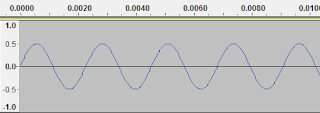
Yup.  That's a sine wave.

A quick python script to generate 88 calls to FFmpeg and now I've got all the pitches I need as individual m4a files (IE won't play ogg, sadly).  There's some interesting music theory in just the choice of frequencies, of which I'll give a taste here:

I generated pitches using equal temperatment, meaning that each pair of adjacent pitches has the same frequency ratio.  As temperaments go, this is the one that all the cool kids are using.  It beats out well and meantone temperament, and generally makes sense if you want to play in multiple keys using the same set of pitches.  Apparently it produces some slightly impure intervals, though I haven't yet compared it to just intionation with my own ear.

Then I based the frequencies around the notion that A4 (the A above middle C) is 440 hertz.  That's called concert pitch, or at least that's what we call it lately, and it's not the only pitch reference out there.  It's nice that it's a round number like that - makes it easier to remember. I've heard it said that music played in different keys can "feel" different, as though simply transposing a piece upward a semitone can turn it from melancholy to hopeful, or something.  But the fact that the exact frequency of a pitch has changes through the ages, and that different ensembles might choose something other than the standard, makes me a little skeptical.  Some people have perfect pitch, of course, but I don't know how that works with respect to different pitch references.  I guess both the feeling-of-the-key and perfect-pitch concepts are relative to contemporary practice.  Anyway, 440.

My ears


The range of frequencies that humans can hear is (very roughly) 20 Hz to 20 kHz, which are nice round numbers that should make you suspicious about the error bars around them.  I don't know what the standard deviation is, but I was surprised when I went to listen to those audio files I made.  I couldn't hear most of the low octave (C1-A1, ~32-55Hz)!  I was sure that I had made a mistake in my script.  I've played an 88-key piano before and while my memory, like my pitch, isn't perfect, I seem to recall being able to hear those low notes.

I ran a highly scientific test using this YouTube video, and sure enough, my ears don't kick in until around 55 Hz.  I didn't get to check on the high end of my range because the dogs started barking and I can't blame them because those are some annoying frequencies up there.

So what's going on?  Well, as you know, a piano doesn't sound like a sine wave.  It produces a crazy mess of noise that goes well beyond the fundamental frequency.  Some of the biggest frequencies in the spectrum are multiples of the fundamental frequency (called "harmonics"), but also the whole audible range is spattered with low-amplitude impurities, and all that stuff together makes the timbre of the note.  That's why those frequency spectrum visualizers are never very satisfying to me - it's all a mess, all the time.  I guess it turns out that when I play C1 I'm not usually hearing the fundamental frequency at all (although more volume can help), but my brain is putting the harmonics and other noice together and I end up with a good approximation.

Adding harmonics


So I went back to those sound files and added some harmonics.  This stackoverflow answer has some numbers in it for relative frequencies of harmonics for a piano, supposedly.  I don't know where they got those numbers from, but I figured it was better than just guessing.  I plugged those into my script and generated some more complicated FFmpeg filtergraphs.  For example, heres A4 with just the first three harmonics:

sine=frequency=440.00000:duration=1[s1];
[s1]volume=volume=3[i1];
sine=frequency=880.00000:duration=1[s2];
[s2]volume=volume=1.197[i2];
sine=frequency=1320.00000:duration=1[s3];
[s3]volume=volume=0.897[i3];
[i1][i2][i3]amix=inputs=3

The actual filtergraph I used was a little more complex: more harmonics, plus I added a delay to each harmonic so that I didn't end up with a sawtooth-like shape.

Now I can hear the low notes.  Plus, the notes are a little less annoying.  It's interesting that adding frequencies other than the one I want to play - impure, dirty, frequencies - ones that don't belong - actually make the sound more real.

Aliasing


Hey wait a minute.  I can hear the low octave now, just fine, but the high octave sounds just terrible.  The notes I hear don't even seem related to the ones I'm asking for.  Luckily, I remembered something from college about the Nyquist frequency (so I guess it wasn't a total waste).  I had picked a sample rate of 16 kHz, because I wanted to save bandwidth and it made the audio files nice and small.  Sure enough, if your sample rate is less than twice some frequency you'd like to hear then sorry, that's just not gonna happen.  Instead you're going to hear a bizzaro mirror-world frequency, and you probably won't like it.

To me, the best analogy is to that old experiment where you look at a fan in a strobe light: at a certain strobe frequency the fan appears to stop spinning, and then if you strobe faster the fan seems to rotate backwards.  It's not a perfect analogy, but basically this is the kind of crazy stuff that happens when analog meets digital.  I probably could have fixed it by filtering out the high frequencies or increasing my sample rate, but these audio files are just for IE users.  I can just drop those pitches from the range.  The IE users probably won't miss them.  What are the non-IE users going to get?

The Web Audio API


Modern browsers have the Web Audio API built-in, and with that I don't need any silly audio files laying about.  I can generate my noises in real time!  It's as simple as this:

    var context = new AudioContext();
    var oscillator = context.createOscillator();
    oscillator.frequency.value = 440;
    oscillator.connect(context.destination);
    oscillator.start();

That's produces a pure A4 sine wave.  Add more oscillators for the harmonics, watch out for aliasing, put a "gain" node in there because the default oscillator is super loud, and we're in business.  There are some cool tricks like amplitude envelopes that I could use to make better or crazier sounds (see this web synthesizer site for instance).  Really, the engineering of synthesizers is an enormously deep rabbit-hole, and I'm tempted to jump in, but this will do for now.

Volume


Another thing about sounds:  Loudness.  I used to think it was mostly about how far up and down the waveform moved.  Nope.  It's also not about the rate-of-change of the waveform at any given point.  If you're thinking about amplitude of sine waves, that's closer, but still not right.

Uh-uh.
Nope.
From what I now understand, it's a combination of the amount of energy in the wave over a certain span of time, and the sensitivity of the human ear to the frequencies involved.  A big spike in the wave means the speaker (for example) has to push a bunch of air molecules really hard, but it has to keep working on that air for a while before it will affect how loud we think the sound is.  Plus, even a very energetic sound may be very quiet if it's near the edges of the range of our hearing, like those low-octave pure-sine-wave notes I couldn't hear.  Loudness is a messy concept, and, when it comes to commercial music, thank goodness for ReplayGain.

In my demo you'll notice that some of the notes are louder than others, due partly to the fact that I didn't vary the oscillator amplitudes as the pitch went up, but also due to a phenomenon represented well by the Fletcher-Munson curves, which show that some frequencies just sound louder than others even when the "sound pressure level" is the same.

The interface


The interface for this demo is pretty simple:  Click and hold a key to play it.  If you want to get fancy, you can hold down shift and click different notes to make chords.  I took a tape ruler to the little electric keyboard I have for some measurements and then used a little dynamic SVG to generate the keys.  There's a little dot on middle C just to get you oriented.  That's about it.  I have some bigger plans for this code, so stay... tuned.  See what I did there?  Tuned?  It's.. oh, ok.  Here's the link again:

Monday, July 18, 2016

It's EELectric!

Do you like eel-based puzzle games?  Ready for some mind-bending diagonal-moving action?  No?  Nevertheless, let me introduce you to It's EELectric!, an original puzzle game I've been working on.

In this game you star as an apex predator, the deadly Electrophorus electricus, better known as the electric eel. This is not a realistic eel simulation. In fact, I looked it up: electric eels don't look like this thing at all.

Plus, I don't think there starfish in the same... you know what, just swim with it.  Your job is to eat all the fish on the level, but before you chow down on the unsuspecting prey you have to kill it with your electric shock attack.  And you're hungry and getting hungrier, so you'll have to be careful not to waste any moves.  Otherwise you'll perish and have to press R to go back in time to try again.  I already mentioned it's not realistic.  SHOCKING.

Enjoy 37 fiendfishly difficult pools of funderwater puzzling!  Sound sea-ffects?  It's um, reel.. something.  Hmm.

Anyway here it is:

Wednesday, May 25, 2016

Callooh Callay, World!

I wrote some puzzles for the 2014 MIT Mystery Hunt.  For one of them, Callooh Callay, World!, I invented a new esoteric programming language called Wonderlang.


It's frabjous.

I imagine this is how one would program computers in Wonderland, if there were any.  It's not meant to be particularly difficult to use, but it has a different perspective.  It requires a few characters not found in the ASCII character set: I suspect keyboards in Wonderland would have a great deal more keys than ours.

Wonderlang hasn't made it onto esolangs.org (yet).  To be fair, I haven't written a proper specification for it, which seems likely to be a requirement.  But then that's probably another natural characteristic of programming in Wonderland - why should they need to write this stuff down, or if they did, despite needing to, why should they go and actually do it?  After all, they're all mad there.


Wednesday, May 11, 2016

Hexfold

Here is HEXFOLD, a web-based puzzle game inspired by the puzzle toy Cool Circuits.  For some background, see my post analyzing Cool Circuits, and the one describing how to extend Cool Circuits to a hexagonal board.

Level 7: "Lucid Sitar"
TL;DR: The object of the game is to place the pieces on the board to create a loop, using every piece and obeying certain constraints that are different for each level.  I made 36 levels (the 37th and final one is randomly generated) which more or less increase in difficulty from hand-holding tutorial to absurdly hard.

I should warn you, this isn't an easy, kid game like Robot Quest or a simple, casual game like Logoplex.  Oh, sure, it starts out easy enough.  But that doesn't last.

If you give it a try, please provide feedback in the comments below.

Before you ask: the level names are just arbitrary adjective-noun combinations.  I generated a bunch using The Sillifier, and picked out the ones that amused me.

HEXFOLD (Web)

It's also available as a Chome App:

HEXFOLD (Chrome Store)

Thursday, May 5, 2016

Cool Circuits: Hexagons

If you haven't read my previous post about Cool Circuits, better go read that first.

What if Cool Circuits was made with a hexagonal grid instead of a square one?  More precisely, what if the turns in each piece were 60 degrees instead of 90?

We'll use the same pattern for generating the pieces: Each piece is a path composed of five turns either clockwise or counterclockwise, and each piece is uniquely described by a sequence of four bits, where each bit indicates whether the next turn is in a different direction than the previous turn.  Here's what the pieces would look like:

"JUVENILSQ"
Compared to the 90-degree pieces, these new ones are a little more stretched out.  If you've been paying attention you'll notice there's a new one.  The last piece in that image corresponds to the bit sequence 0001, which wasn't possible in the original Cool Circuits because it would have intersected itself.  I'm going to call it "Q".

Can we make a circuits with all of these pieces?  Nope.  In 90-degree-land, each piece contributed a single 90-degree turn (either way) to the overall path, and since there were an even number of pieces that meant we could end up with the complete 360-degree turn necessary for a circuit.  But with these new pieces, 6 of them contribute a 60-degree turn, and 3 of them contribute a 180-degree turn.  That means if we use all the pieces we'll always end up 180 degrees off. Here's a tabular summary:

LetterDescriptionFlippedContribution
J00111100180
U1001(same)±60
V10111101±60
E0110(same)180
N01011010±60
I1111(same)±60
L01111110±60
S00100100±60
Q00011000180

So we'll have to drop at least one piece.  For now, just to be true to the original puzzle, we're going to have to let Q go.  Sorry Q.  Maybe we'll find a job for you later.

Behold!  Hexagons!
Because the turns are 60 degrees, the pegs on the board will be arranged in a hexagonal grid.  Clearly, the overall shape of the board should also be a hexagon, but what size?  Five seems like a nice diameter - it would have almost the same number of points as the original puzzle.  I modified my solver from the original puzzle for these new parameters, kicked it off, and sat back to watch the solutions roll in.  Sadly, there are none.

Cool Circuits has a neat property that every solution leaves behind 6 untouched pegs.  In "Cool Circuits, Jr" they add 6 rings that you can use to wrap those pegs.  Once you've done that, there is no position left untouched.  This hexagonal version doesn't have that feature.  For each turn you make, you make it impossible for the path to later hit the point you didn't turn towards.  Near the edges, that can cascade and make other points untouchable as well.  I suspect this is a clue to why there aren't any solutions in the 5-board.

Before we give up on this board though, what if we had even fewer pieces?  I tried dropping J and E (leaving us with only pieces that contribute 60 degree turns), and I found that there are solutions to that variant.  Exactly four of them (ignoring solutions that are equivalent via rotation and reflection).  Here they are:

Four unique solutions for the 5-board, using the UVNILS pieces.
Note how the V and N pieces can be swapped (and flipped and rotated) to convert one solution into another.  That's also true in some of the solutions to Cool Circuits, though in both cases it depends on how tightly-packed the circuit is.

To me, this doesn't seem like enough solutions for an interesting puzzle game.  Sure, with rotation and reflection we could make more circuits, but they would all end up feeling the same.

Time to raise the diameter to 7.  You can probably guess going into this one that there will be too much space on the board.  Going back to 8 pieces, I let the solver run overnight, and it says there are 1503 circuits.

Alternative boards.
So with lots of space (A) we have lots of solutions.  I also considered removing the six outer-most pegs (B: 474 solutions) and removing four pegs from each of three edges, forming a somewhat triangular board (C: 130 solutions), but the bigger hexagonal board seems more thematic to me.  The large number of solutions does mean that we'll need to have plenty of constraints in each puzzle to make it uniquely solvable.

Overall, while not as elegant, I think this configuration works pretty well as a variant of Cool Circuits.  I'm working on a web-based playable version called HEXFOLD, which I'll post here once I've finished the levels and had some people play-test it.